Feature Spotlight
Optimize Booking Behavior with Dashboards in HubStar Connect
In this month's feature spotlight, we're taking a look at two helpful dashboards that help you track the performance, patterns and trends of your workplace's bookable resources.

Jackie Towers
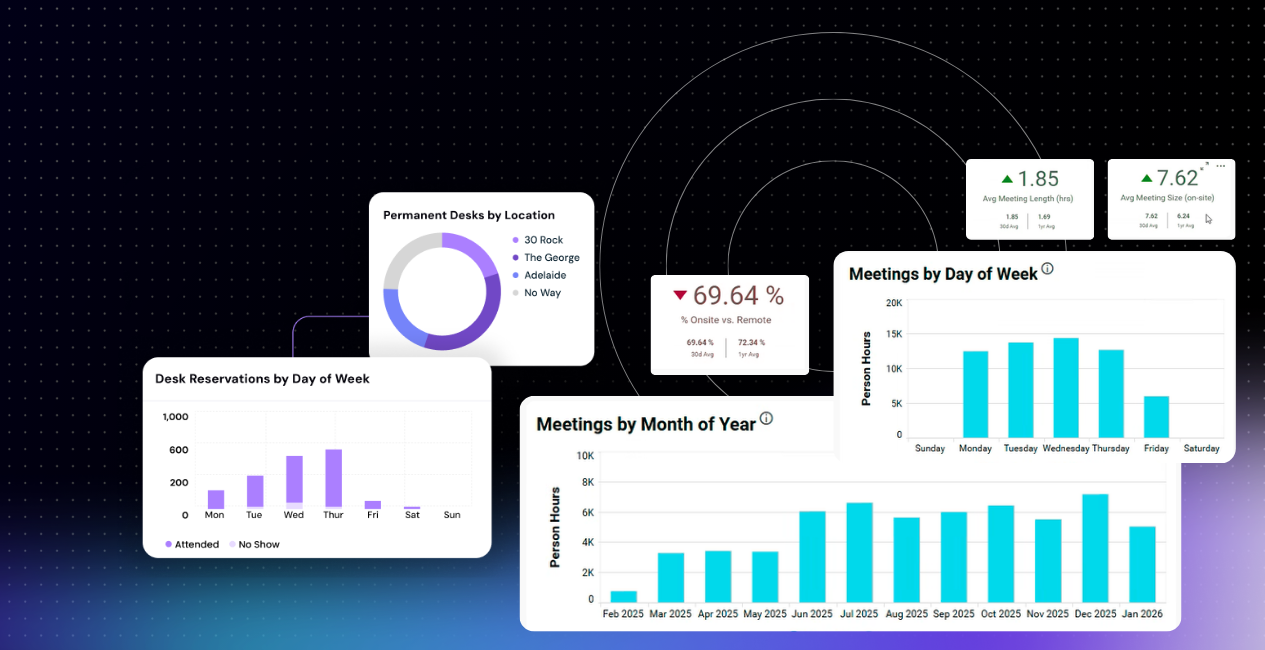
See desk and room booking data, patterns and trends in one place.
These dashboards in HubStar Connect analyze booking data by resource type, showing you how employees are using bookable resources in real time.
These dashboards are available for any bookable resource (even parking!) but here we’ll focus on desks and meeting rooms.
Desk and meeting room booking dashboards show you when resources are busy, when they’re underutilized and when it’s time introduce new rules, change up furniture, layouts and even redesign bookable spaces.
All the data you need to make smarter workplace decisions for your bookable resources is instantly accessible here.
Why use the desk booking dashboard?
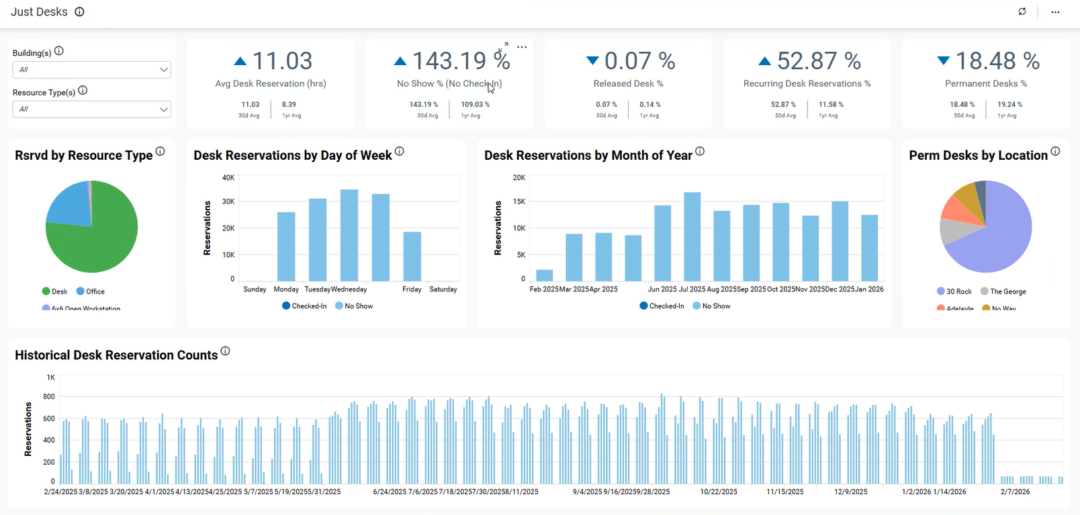
1) Understand desk booking patterns and adapt desks to actual usage.
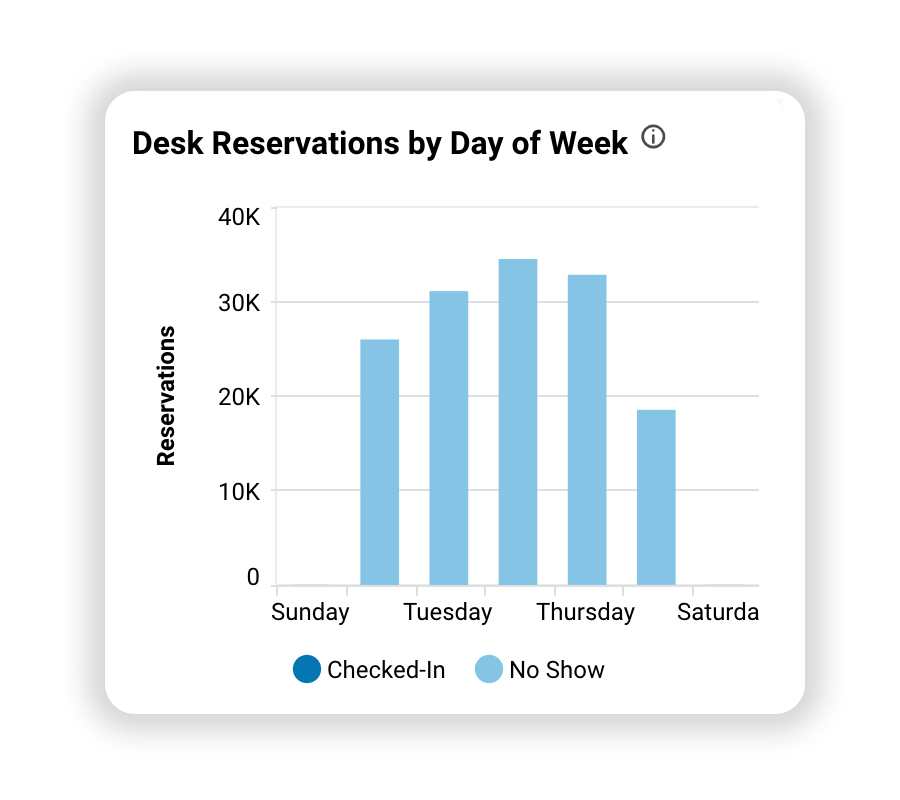
See desk bookings by day of the weekend month of the year to understand when demand peaks and where you have excess capacity. You’ll see whether your current desk setup matches actual demand.
2) Identify when to introduce desk booking and check in rules.
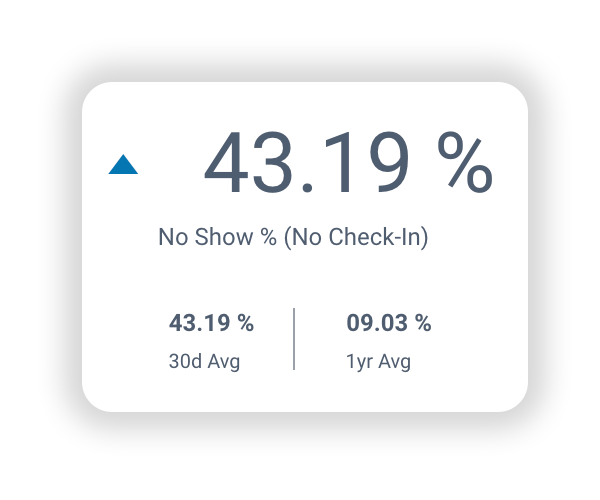
This dashboard shows you how no-show rates are trending in real time, so you can understand how many desks are being booked but not used. This data helps you decide whether to prompt users to check in and release desks when they don’t.
Keeping an eye on the trending arrow beside the no-show percentage identifies whether the no-show rate is increasing or decreasing. If the arrow’s pointing up over the weeks and months, it could be a good time to further investigate which teams have the highest no-show rates and implement additional rules, rather than imposing blanket restrictions on everyone reserving a desk in the office.
3) Monitor desk booking’s impact on repeat attendance.
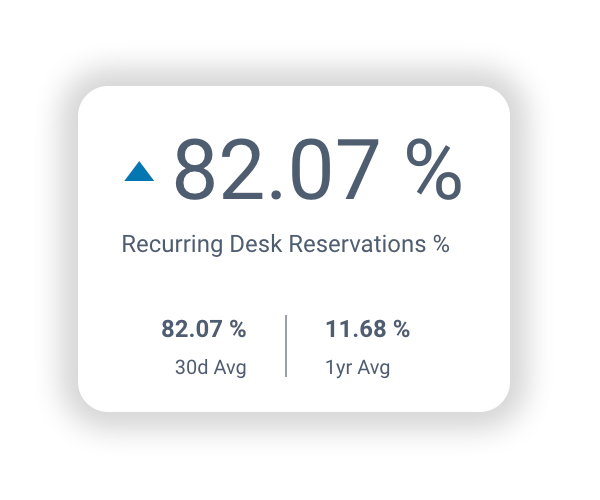
Keep an eye on the percentage of recurring desk reservations to understand if current desk layouts and workstations types are providing the experience that pushes people to come back into the office. If recurring bookings are up, that’s a sign of healthy adoption and purposeful attendance.
Historical desk reservation counts at the bottom of the dashboard shows how desk bookings are trending long-term. A decline could signal that converting underused desks into office pods or collaboration spaces might be a good idea. Alternately, steady increases over time could signal that desk layouts, design and availability are driving office attendance and performing according to plan.
Why use the room booking dashboard?
1) Identify peak times and optimize room availability.
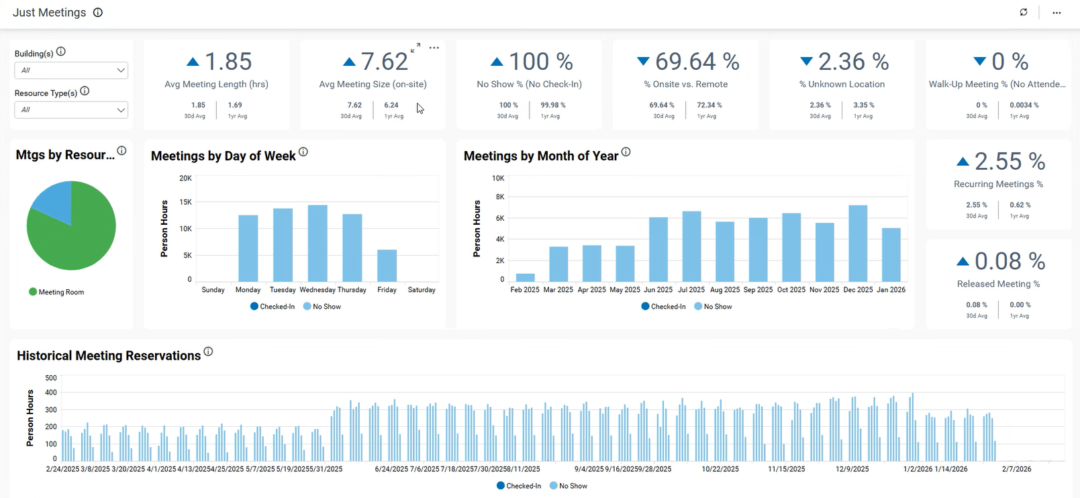
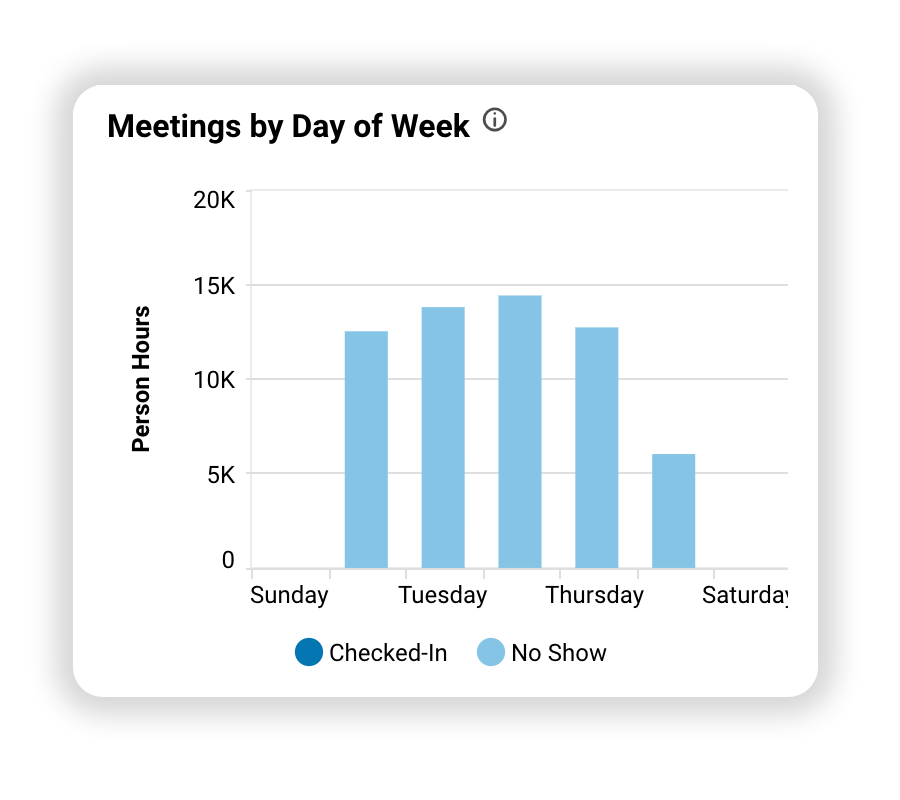
See when there’s the highest demand for rooms over the week, so you can spot overcrowding before it impacts employee experience. If rooms are mostly booked out on certain days, you can look into changing hybrid policies or putting more booking rules in place.
2) Make sure meeting room types and sizes match what they’re being used for.
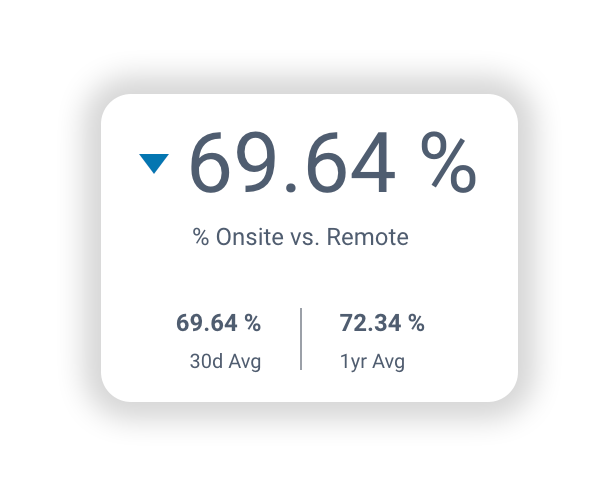
Keep an eye on how average meeting length, size and percentage of onsite vs remote attendees are trending to understand whether employees are using the right rooms for hybrid meetings, or whether people are booking AV-equipped rooms when no one’s dialling in remotely.
If AV rooms are used by only on-site participants, you have the data to implement booking rules that steer people toward the right space for their meeting type.
3) Track room usage over time.
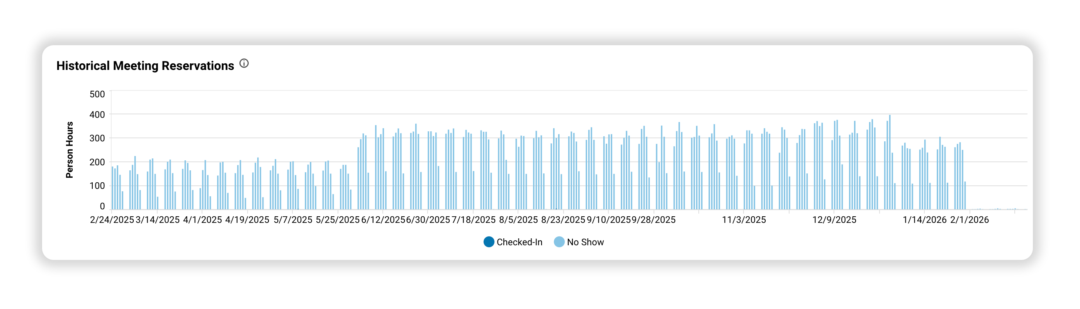
This dashboard gives you a historical view of room booking trends, so you can measure how changes to workplace design or even hybrid policies affect behavior. Did your new attendance guidelines drive more in-person meetings? Are rooms sitting empty after a policy rollout? The data tells the story.
HubStar customers are also using these dashboards to:
- Measure how employees are using workplace resources before putting additional rules and governance in place
- Improve check-in compliance and reduce no-shows
- Track recurring office visits as a success metric for hybrid adoption
- Match allocation of bookable space to actual business needs
- Decide on the correct ratios of different resources types and individual vs collaborative spaces
Want to add these dashboards to your toolkit?
Drop your details below, and we’ll help you get set up.

Jackie Towers
Share this post